Connect your tools
Use familiar Responses and Messages APIs with selected models. Provider credentials remain private.
 1800 886 718
Cooma TokenFactory
Connect your teams and applications to selected AI models, with permissions, usage limits and spend visibility in one place.
Request a demo Customer sign in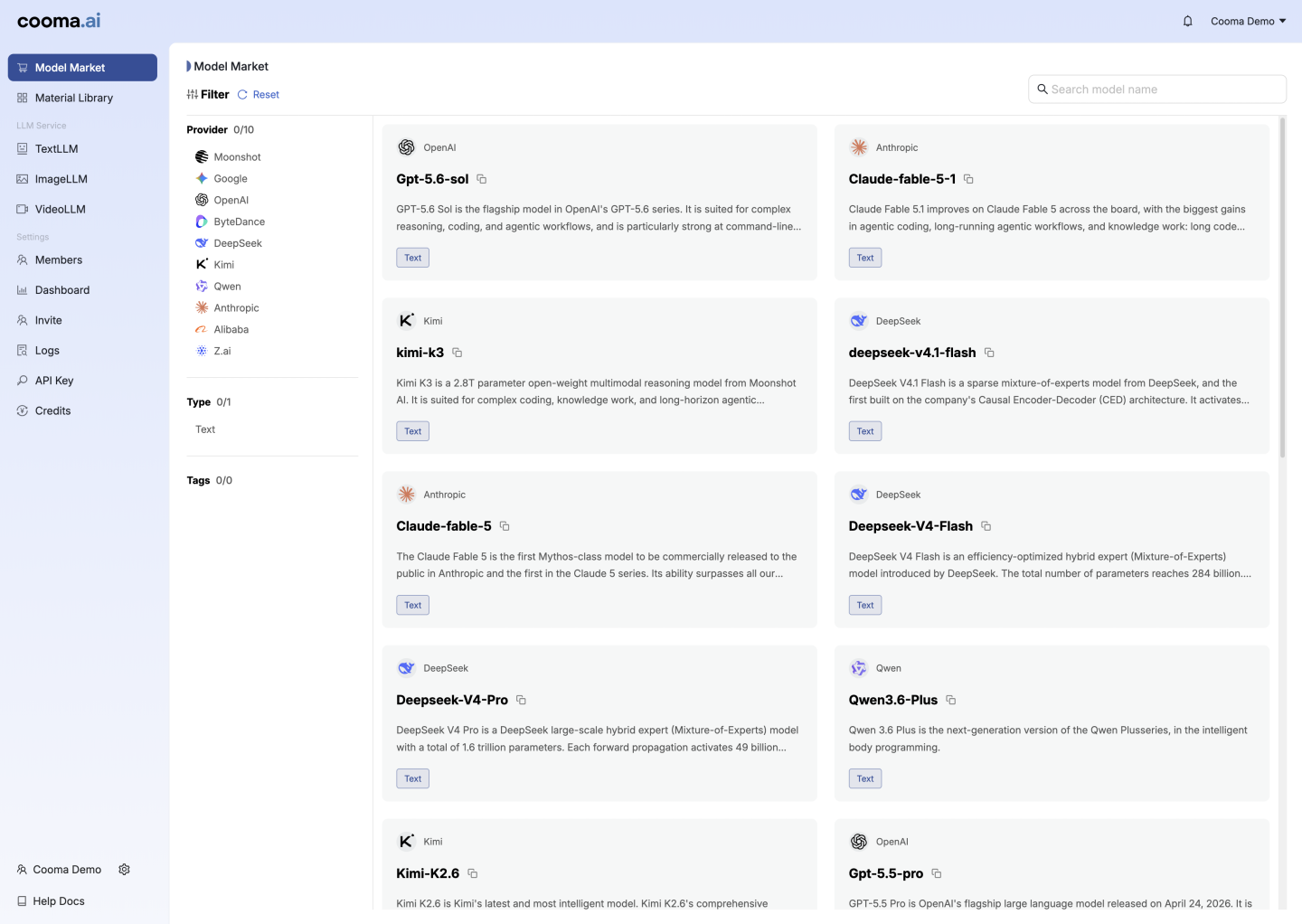
A platform for your teams
Use familiar Responses and Messages APIs with selected models. Provider credentials remain private.
Set model permissions, daily and monthly limits, and expiry dates for each project key.
Review usage and recorded charges by key, so you can see how your applications contribute to spending.
Security & control
Project-key permissions and expiry help define access to models. Data handling also depends on the model service your application uses.
Confirm where requests are processed, whether prompts and responses are retained or used for training, and which provider terms apply before sending sensitive information. Access controls and usage records do not, by themselves, establish those protections.
Discuss model security requirementsFor developers
Use your Cooma key and an approved model. TokenFactory handles access checks and usage tracking.
Model availability, pricing and deployment arrangements are confirmed for each customer. Platform imagery shows a demo environment.
from openai import OpenAI

client = OpenAI(
    api_key="YOUR_COOMA_KEY",
    base_url="https://api.tokenfactory.cooma.ai/v1",
)

response = client.responses.create(
    model="<approved-model>",
    input="Summarise this project brief.",
)
Explore the architecture
Explore an interactive illustration of how GPU infrastructure, inference and model access fit together.
The experience illustrates an architecture. Current services and deployment options are confirmed separately.
Launch the 3D experienceBefore we talk
TokenFactory provides access to selected AI models for teams and applications, with project-key permissions, usage limits, expiry dates and spend visibility. Model availability, pricing and deployment arrangements are confirmed for each customer.
TokenFactory is a separate model-access offering. Start with the models and applications you want to use; dedicated GPU capacity is a separate conversation. Explore GPU Cloud.
Applications can connect through Responses and Messages APIs using a Cooma project key and an approved model. You can set model permissions, daily and monthly limits, and key expiry, then review usage and recorded charges by key.
Data handling depends on the model service selected. Confirm processing locations, retention, training-use terms and provider conditions before sending sensitive information. Project-key controls do not by themselves establish those protections.
Start a conversation
Tell us which tools, teams and applications you want to connect.